How to Protect Your Crypto Account: A Checklist for Nigerians
· 5 min read

Short answer: To protect your crypto, use a unique password and a separate email for your accounts, turn on an authenticator app wherever it's offered instead of relying on text message codes, lock your SIM and phone, never share a seed phrase, PIN or one-time code, and only install apps from the official stores. Most thefts come through the person, not the blockchain.
Crypto theft in Nigeria rarely looks like a film. Nobody cracks the blockchain. Somebody calls pretending to be support, or a friend's hacked WhatsApp sends a link, or a phone goes missing with no screen lock. The good news is that nearly all of it can be stopped with a handful of habits, and you can set most of them up in one evening.
Work down this list in order. The first few matter most.
Key takeaways
- Your email is the master key, so protect it first.
- Use an authenticator app where it's offered, and treat text message codes as the weaker option.
- Nobody genuine ever needs your seed phrase, PIN or one-time code.
- Keep your phone and SIM locked, because they hold everything else.
How do hackers actually get into crypto accounts?
Knowing the usual routes tells you where to put your effort:
- Phishing: a fake login page or a fake support agent collects your password and code.
- Reused passwords: a password leaked from some other website gets tried on your email and crypto apps.
- SIM swap: your number is moved to a fraudster's SIM, and your text codes go with it. Our guide on SIM swap fraud shows how it works.
- Fake apps: a clone of a real app steals whatever you type. Learn to spot a fake crypto app.
- A lost or unlocked phone: whoever has it can read your messages and open your apps.
- Seed phrase photos: a screenshot in your gallery or cloud backup is a wallet waiting to be emptied.
Start with your email
If someone gets into your email, they can reset the password on almost everything else. Give it a long password you use nowhere else and turn on two-step sign-in. If you can, use a separate email address for money apps that you never post or share.
A password manager makes this easy, because it creates and remembers a different password for every site. If you'd rather not use one, write passwords in a notebook kept somewhere safe. That's still far better than reusing one everywhere.
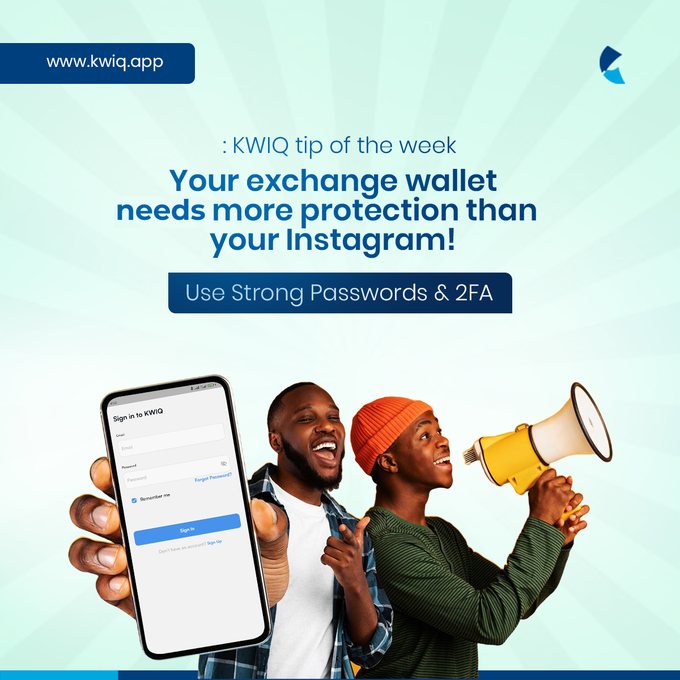
How do I turn on 2FA, and which kind should I use?
Two-factor authentication (2FA) asks for a second proof after your password. Look in the security settings of each exchange and wallet you use. From strongest to weakest, the common options are:
- A hardware security key, if the service supports it.
- An authenticator app, which makes a fresh code on your phone every 30 seconds or so.
- Text message codes, which are better than nothing but can be intercepted through a SIM swap.
When you set up an authenticator, save the backup codes it gives you and keep them offline. If you lose your phone without them, you can lock yourself out. For more detail on the principle, Coinbase's security guide is a useful read.
Lock your phone and your SIM
Your phone holds your email, your banking apps and your crypto apps. Use a screen lock, a PIN rather than a simple pattern if you can, and set your apps to ask for their own PIN or fingerprint.
Add a SIM PIN too, so a stolen SIM can't simply be put in another phone. If your signal suddenly disappears for no reason, treat it as an emergency and call your network from another phone. If the phone itself goes missing, go straight to what to do when your phone is stolen.
Keep your seed phrase off the internet
If you use a self-custody wallet, your recovery phrase is the wallet. Write it on paper, store it somewhere safe and private, and never photograph it, email it to yourself, or type it into a website. Anybody asking for it, however friendly or official, is trying to rob you. Our seed phrase explainer goes through the details.
What should I do every time I send or log in?
Good habits at the moment of use stop the scams that get past your settings:
- Open apps from your home screen, not from links in messages.
- Install only from Google Play or the App Store, and check the developer's name.
- Paste addresses, then compare the first and last few characters.
- Send a small test to any new address.
- Be suspicious of urgency. "Your account will be closed in 10 minutes" is a script.
- Reach support only through the official app or website. Real support won't message you first on Telegram.
How KWIQ protects your account
KWIQ offers two-factor authentication (2FA), so use it on your account. Internal security checks protect every account as well, so a stolen or hacked phone isn't enough for someone else to move your funds. Moving money out needs your transaction PIN, and the email address on your account can't be changed, so nobody can take your account over by switching it. KWIQ will never ask for your password, PIN or one-time codes.
Those protections work best alongside the habits above. Keep your transaction PIN private, and don't use your birth year or 1234.
If something has already gone wrong
Move fast. Change your passwords from a device you trust, then contact support on the platform through its official channels. Our guide on what to do if your crypto account is hacked goes through it step by step.
Want a sale with no stranger involved? Download the KWIQ app to see your naira amount before you sell. If your phone is low on space, you can also create a free account on the web.
Frequently asked questions
What is 2FA in cryptocurrency?
2FA means two-factor authentication: a second check, such as a code, on top of your password. Even if someone steals your password, they still need that second factor to get in.
Does KWIQ have 2FA?
Yes. KWIQ offers two-factor authentication (2FA), so use it on your account. It works alongside the transaction PIN you need to move money out.
Is an authenticator app better than SMS codes?
Generally, yes. Authenticator codes are made on your own device, so a SIM swap doesn't hand them to a fraudster. A text message code is still better than no second check at all.
What is the safest way to store crypto?
It depends on the amount and how often you use it. Money you're about to sell can sit in an app you trust. Long-term savings are often kept in a self-custody wallet with the recovery phrase written down offline.
What should I do if I think my account has been hacked?
Act quickly. Change your email and account passwords from a device you trust, contact the platform's support through its official app or website, and follow our step-by-step guide for hacked accounts.

Written by
Mercy Eboh
Technical Writer at KWIQ
Writes KWIQ’s guides on crypto, payments and keeping your money safe online.
